Coursera
Certificate
0
A Second Brain with Obsidian
About this course
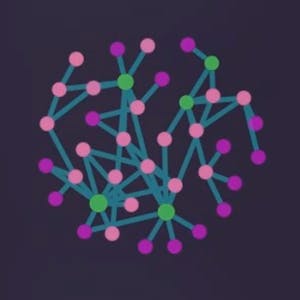
In this hands-on guided project you will learn how to use the knowledge base app Obsidian. With its powerful interface, Obsidian makes it easy for anyone to structure note taking dynamics suitable for a variety of purposes: from personal journaling, to study or work notes. On top of that, one can establish links across notes and quite literally build a digital brain based on all of these connections, powered by Obsidian's Graph View.
C
55/100
CourseAsk score
- What the provider tells you
- 31/45
- Who stands behind it
- 8/35
- How complete the listing is
- 16/20
Scores how much the provider publishes and who stands behind it — not how well it is taught.
What you'll learn
- Create and edit notes using markdown in Obsidian
- Set up bi‑directional links and backlinks between notes
- Navigate and interpret the Graph View to see connections
- Design a personal knowledge management system tailored to personal or professional use
Course objectives
- Learn the basic interface and workflow of Obsidian
- Apply linking techniques to build a networked note system
- Use tags and folders to organise content effectively
- Export or share your Obsidian vault as a living document
Project Management
#digital note-taking
#productivity
#note-taking
#knowledge management
#mind mapping
#information organization
#obsidian
#personal journaling
#graph view
#markdown
#bi‑directional links
#backlinks
#personal knowledge base
#second brain
#tagging
#zettelkasten
#plugins
$9.99
Price shown by Coursera — confirm on their site.
Enroll on CourseraYou'll be redirected to Coursera to complete enrollment.
- Listed & compared by CourseAsk
- English · 0

 Udemy
Udemy



 Coursera



Compared on these lists
Where this course ranks against the alternatives.