Notion for Beginners: Build Powerful Dashboards & Databases
About this course
Take your Notion skills to the next level with instructor Kristine Sacdalan! In this hands-on course, you’ll go beyond the basics and learn how to harness the full power of Notion’s databases and dashboard customization tools. By the end of this course, you’ll know how to: - Set up full-page and inline databases to manage complex projects - Use advanced views like calendar, board, timeline, and gallery - Organize your data with properties like status, date, relation, and more - Design stunning dashboards using widgets, GIFs, and custom layouts Kristine brings Notion to life with an approach that’s both practical and personal. You’ll build systems that make your workflows easier and more enjoyable—no matter what you’re managing. From a mood board to a content calendar, you’ll learn to create a workspace that works hard and looks amazing. Ideal for social media managers, digital marketers, and anyone juggling multiple projects—this is where your productivity glow-up begins! Instructor bio: Kristine Sacdalan is a digital marketing and productivity expert with over 8 years of hands-on experience helping brands grow online. She has worked with a diverse range of clients, from small businesses to multi-million dollar companies, specializing in social media marketing, copywriting, and influencer marketing. Kristine is passionate about teaching practical skills that students can immediately apply to their projects, combining time-tested strategies with the latest digital trends. Outside of work, she enjoys reading, exploring new cities, and sharing her expertise on Instagram and TikTok.
81/100
CourseAsk score
- What the provider tells you
- 45/45
- Who stands behind it
- 20/35
- How complete the listing is
- 16/20
Scores how much the provider publishes and who stands behind it — not how well it is taught.
What you'll learn
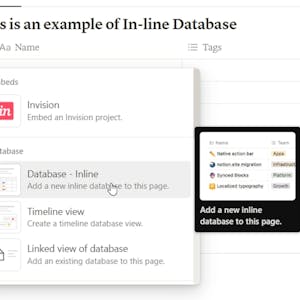
- Set up full-page and inline databases
- Use advanced views like calendar, board, timeline, and gallery
- Organize data with properties like status, date, and relation
- Design dashboards using widgets, GIFs, and custom layouts
Course objectives
- Help students build a workspace that enhances productivity
- Teach practical skills that can be immediately applied to projects
Price shown by Coursera — confirm on their site.
Enroll on CourseraYou'll be redirected to Coursera to complete enrollment.
- Listed & compared by CourseAsk
- English · 0

 Udemy
Udemy



 Coursera



Compared on these lists
Where this course ranks against the alternatives.