Coursera
MOOC / Non-credit
0
How to Plan a Content Calendar using Trello
About this course
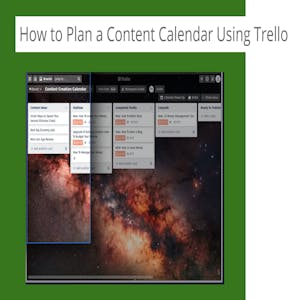
Content creation and managing when it is created is key to business in the online world. Finding tools to manage your content calendar will help to make the job much easier. By the end of this project you will have a content creation calendar on Trello that makes it a breeze. Note: This course works best for learners who are based in the North America region. We’re currently working on providing the same experience in other regions.
C
55/100
CourseAsk score
- What the provider tells you
- 31/45
- Who stands behind it
- 8/35
- How complete the listing is
- 16/20
Scores how much the provider publishes and who stands behind it — not how well it is taught.
What you'll learn
- Create a Trello board that serves as a content calendar
- Organize content ideas into lists and cards reflecting stages of production
- Apply labels, due dates and checklists to manage deadlines and responsibilities
- Collaborate with teammates within Trello to keep the editorial process transparent
Course objectives
- Set up a Trello workspace tailored for content planning
- Design a workflow that maps from ideation to publication
- Use Trello features to track progress and maintain a publish schedule
Digital Marketing
#content management
#project management
#content calendar
#workflow
#scheduling
#planning
#trello
#online content
#editorial planning
#board setup
#list organization
#card creation
#labeling
#due dates
#checklists
#workflow automation
#content scheduling
#collaboration
#remote teamwork
#content strategy
#kanban
#agile planning
$9.99
Price shown by Coursera — confirm on their site.
Enroll on CourseraYou'll be redirected to Coursera to complete enrollment.
- Listed & compared by CourseAsk
- English · 0

 edX
edX

 Udemy
Udemy


 Coursera




Compared on these lists
Where this course ranks against the alternatives.