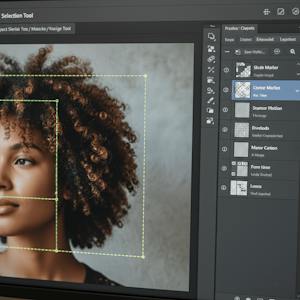
Master Photoshop CC: Apply Smart Selection & Design Tools
About this course
Learners will apply advanced Photoshop CC tools, analyze image composition, and create professional-quality visual designs using intelligent selections, transformations, and content-aware features. By the end of this course, learners will confidently manipulate objects, correct perspective, match backgrounds, refine typography, and enhance images using modern Photoshop workflows. This course is designed to help learners move beyond basic editing by focusing on real-world design techniques such as object selection with AI, non-destructive transformations, gradient-based color matching, pixel stretching effects, and perspective correction. Through step-by-step demonstrations, learners gain hands-on experience with the latest Photoshop CC features, including automated background removal, advanced warp controls, updated brush tools, and enhanced Content Aware Fill. What makes this course unique is its tool-centric, workflow-driven approach, ensuring learners understand not just how tools work, but when and why to use them. Ideal for aspiring designers, content creators, photographers, and marketing professionals, this course equips learners with practical skills that improve design accuracy, efficiency, and creative confidence in professional Photoshop projects.
75/100
CourseAsk score
- What the provider tells you
- 39/45
- Who stands behind it
- 20/35
- How complete the listing is
- 16/20
Scores how much the provider publishes and who stands behind it — not how well it is taught.
What you'll learn
- apply advanced Photoshop CC tools
- analyze image composition
- create professional-quality visual designs
- manipulate objects and correct perspective
- refine typography
- enhance images using modern workflows
Course objectives
- help learners move beyond basic editing
- focus on real-world design techniques
- ensure understanding of when and why to use specific tools
Price shown by Coursera — confirm on their site.
Enroll on CourseraYou'll be redirected to Coursera to complete enrollment.
- Listed & compared by CourseAsk
- English · 0

 Udemy
Udemy


 Coursera





Compared on these lists
Where this course ranks against the alternatives.