Excel: Apply & Evaluate Unsupervised Clustering
About this course
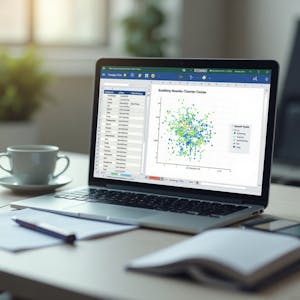
Discover how to apply and evaluate unsupervised clustering techniques using Microsoft Excel in this hands-on course. Designed for learners with basic Excel knowledge, this course guides you through the complete clustering workflow—from preparing and structuring datasets to building, refining, and evaluating logic-based cluster assignments without programming. You will learn how to identify relevant data attributes, create clustering logic with Excel functions, extend cluster assignments across datasets, and visualize patterns using scatter plots. As you progress, you will refine clustering strategies, validate group separation, and evaluate the effectiveness of your analytical approach through a comprehensive workbook review. This course is ideal for learners who want to perform clustering analysis using familiar Excel tools rather than specialized machine learning platforms. By focusing on practical, step-by-step activities, you'll gain experience organizing data, constructing clustering workflows, interpreting visualizations, and assessing analytical results. If you're looking to build practical data analysis skills and understand how unsupervised clustering can be implemented in Excel, this course provides a structured, application-focused learning experience from data preparation through final evaluation.
75/100
CourseAsk score
- What the provider tells you
- 39/45
- Who stands behind it
- 20/35
- How complete the listing is
- 16/20
Scores how much the provider publishes and who stands behind it — not how well it is taught.
What you'll learn
- prepare and structure datasets for clustering
- create clustering logic using Excel functions
- extend cluster assignments across multiple datasets
- visualize data patterns with scatter plots
- validate group separations and evaluate analytical effectiveness
Course objectives
- develop practical data analysis skills
- gain experience in unsupervised clustering workflows
- understand how to implement clustering techniques using Excel
Price shown by Coursera — confirm on their site.
Enroll on CourseraYou'll be redirected to Coursera to complete enrollment.
- Listed & compared by CourseAsk
- English · 0

 Coursera



 Udemy
Udemy




Compared on these lists
Where this course ranks against the alternatives.