Advanced Commands in Linux
About this course
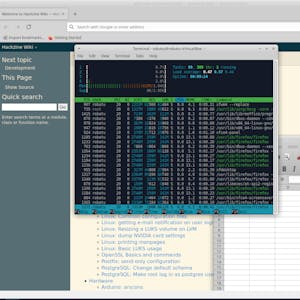
In this one-hour, project-based course, you'll learn advanced commands for the Linux command-line. You'll learn how to grab files, even Web-site, from the internet and download it, how to copy files from drives to drives locally and remotely and how to display, terminate, and troubleshoot programs and processes manually. This guided project will introduce you to the following commands: -wget -- Download anything from the Internet or other remote computers; -rsync -- Synchronise files and directories locally or with a remote machine; -ps, pstree, top, htop -- Monitor applications and processed running on a PC; -kill, killall -- force the closing of troublesome applications and processes.
55/100
CourseAsk score
- What the provider tells you
- 31/45
- Who stands behind it
- 8/35
- How complete the listing is
- 16/20
Scores how much the provider publishes and who stands behind it — not how well it is taught.
What you'll learn
- download files and websites using wget
- synchronize files and directories with rsync locally and over SSH
- monitor system processes with ps, pstree, top and htop
- terminate misbehaving processes using kill and killall
Course objectives
- apply advanced command‑line tools to manage files and processes
- demonstrate remote file transfer and synchronization
- interpret process‑monitoring output to diagnose system activity
Price shown by Coursera — confirm on their site.
Enroll on CourseraYou'll be redirected to Coursera to complete enrollment.
- Listed & compared by CourseAsk
- English · 0

 Coursera


 Udemy
Udemy





Compared on these lists
Where this course ranks against the alternatives.